Design Proposals
How to edit a Tweet?
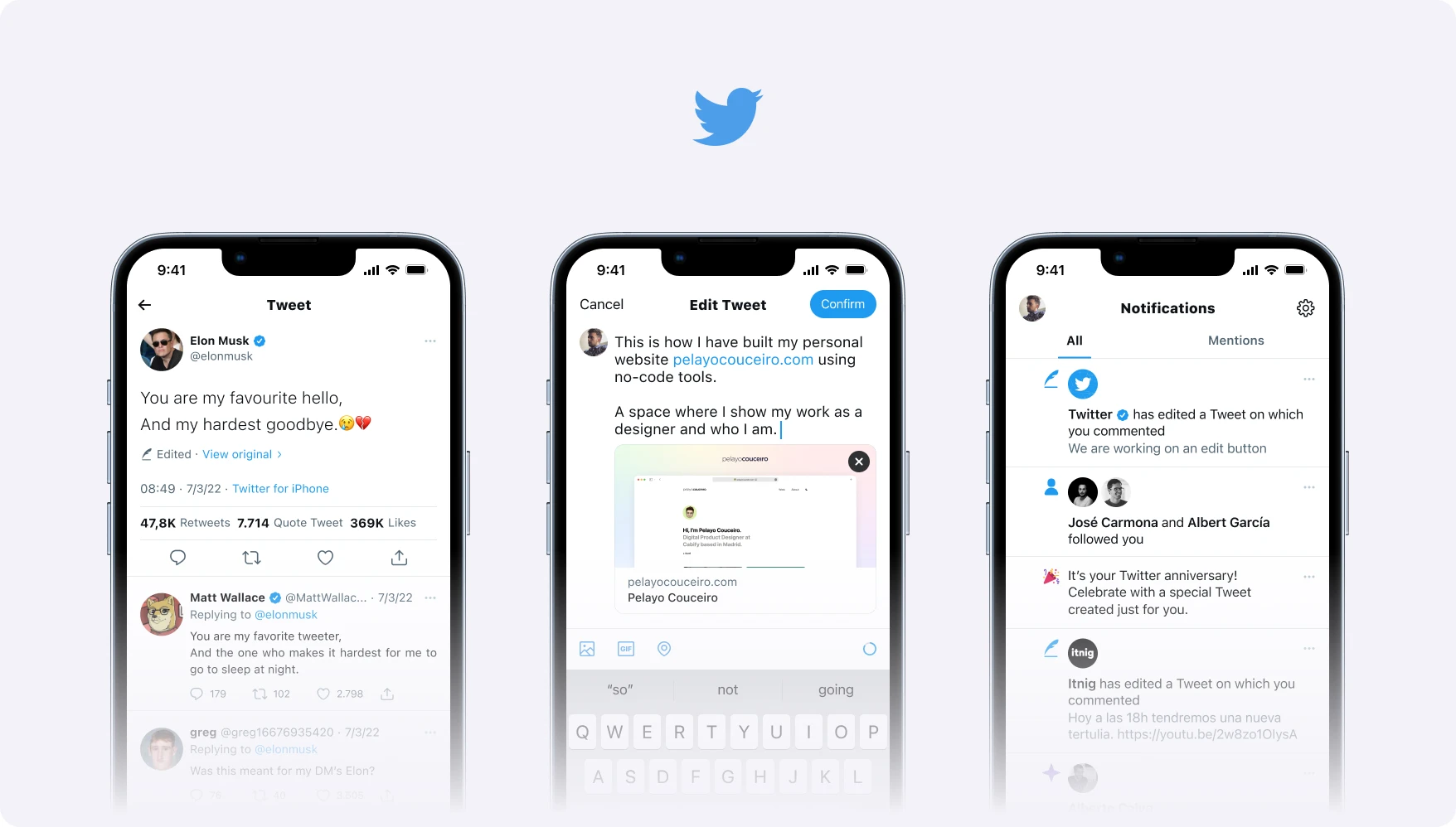
Twitter has confirmed that it’s working on an edit button that would allow users to change Tweets after they’ve been posted, and in this post, I show my own design proposal.
It’s been a busy few days regarding the edit button. It all comes after Elon Musk bought a 9.2% stake in Twitter, made a Twitter poll whether users wanted the edit button and Twitter officially confirmed that they’re working on the feature.
It’s a feature that Twitter users’ve been requesting for so long, and Twitter is testing with @TwitterBlue subscribers. The idea is that users could be able to fix typos or errors in a tweet without losing any replies, retweets or likes it has already gained.
So I’ve taken advantage of my inspiration to design some design proposals on how to edit a Tweet. It’ll be fun to compare Twitter’s future proposal with mine. Let’s wait for it!
Edit a Tweet by Pelayo
I’ve started sketching some key points and seeing what this means in a social network that has always refused to include this feature.
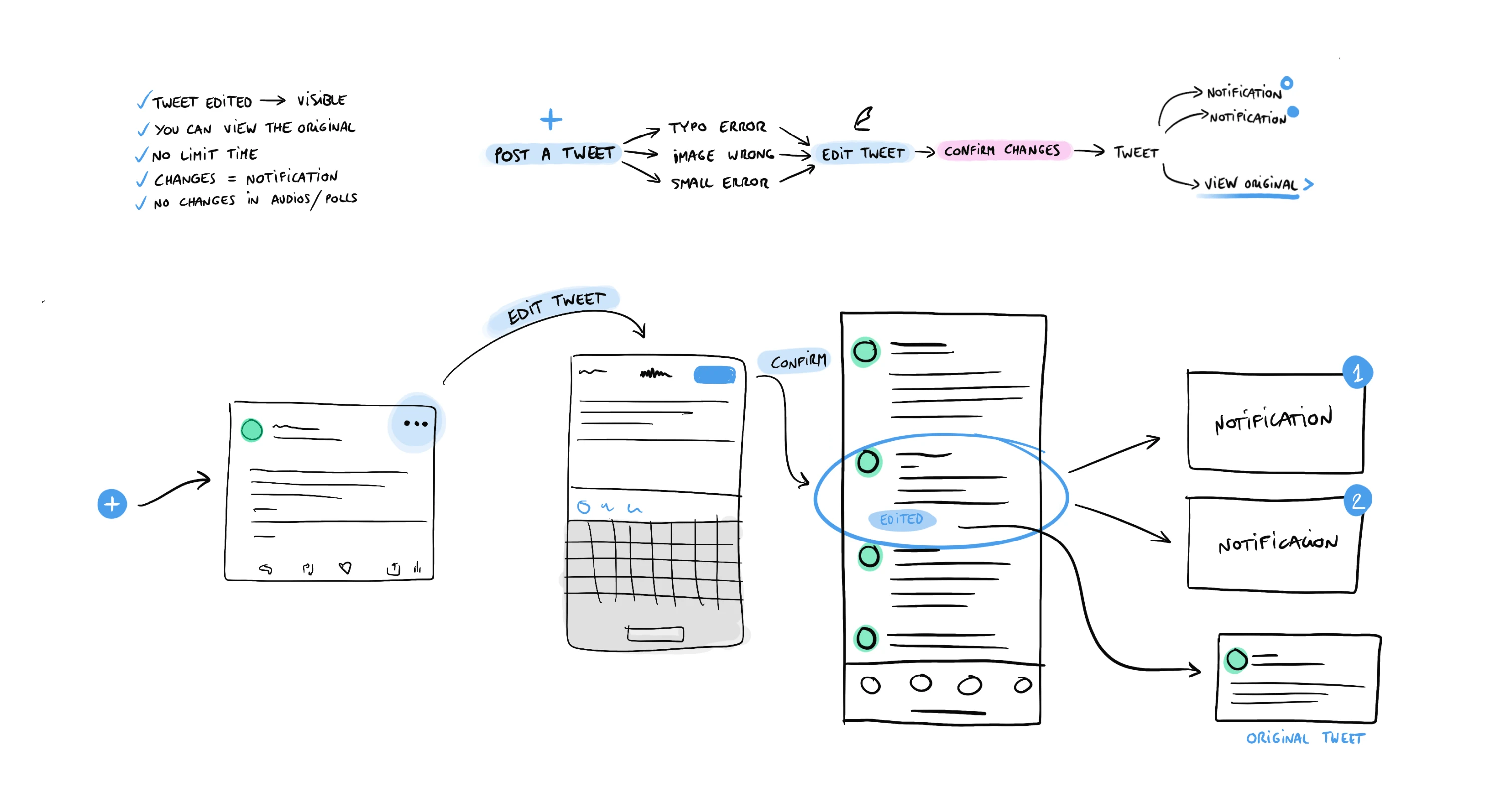
First sketches of the editing flow.
- Visibility: Edited Tweets should be clearly visible.
- Transparency: All users will be able to see the original tweet.
- No limits: No time limits to edit a tweet. Do it whenever you want.
- Notifications: If a tweet is modified, users who have interacted with it will be notified.
- Modifications: You can edit texts, locations, delete images/videos/GIFs.
- Modifications*: Surveys and audios can’t be modified once they’ve been published.
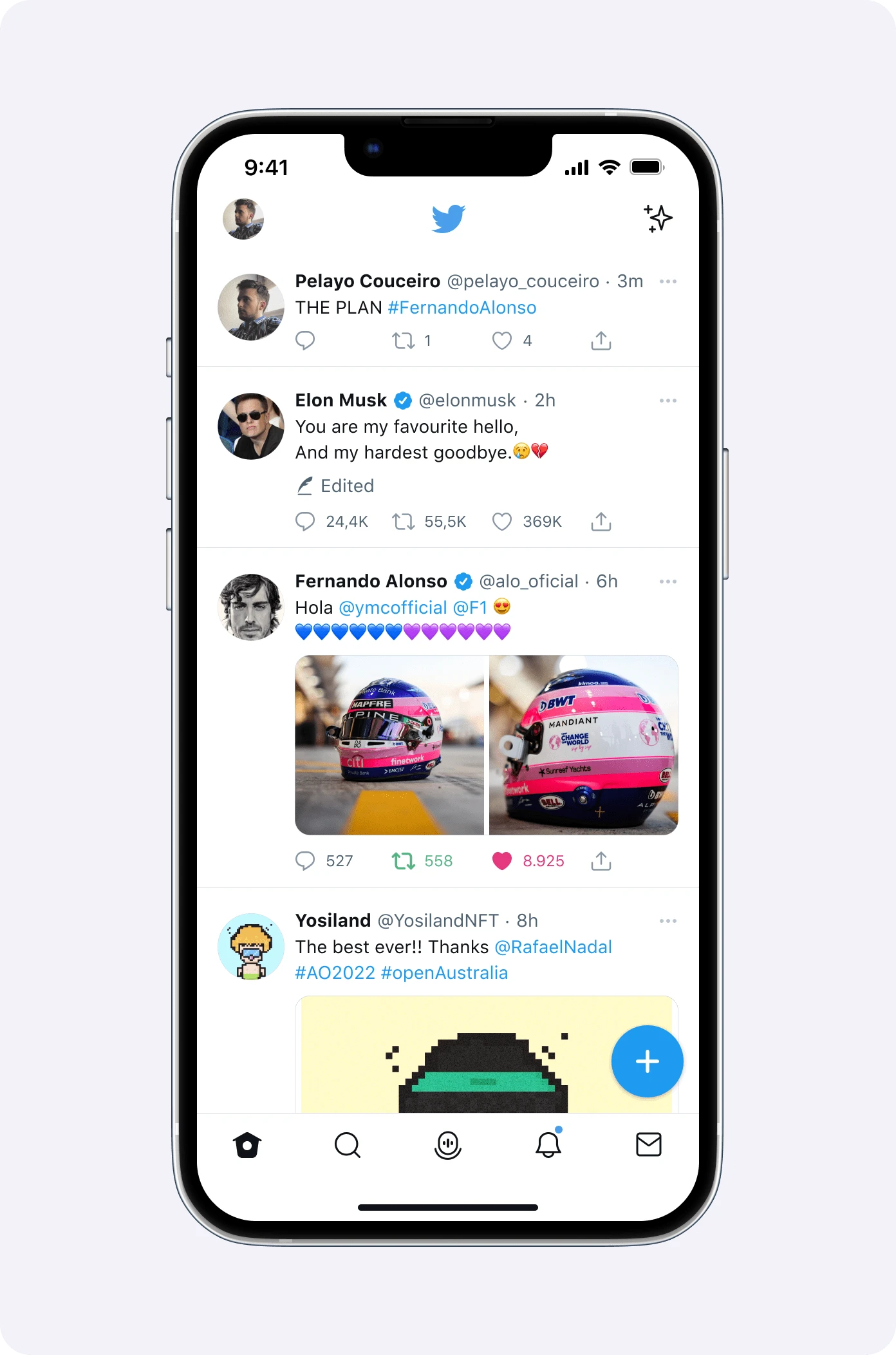
An edited Tweet in the feed.
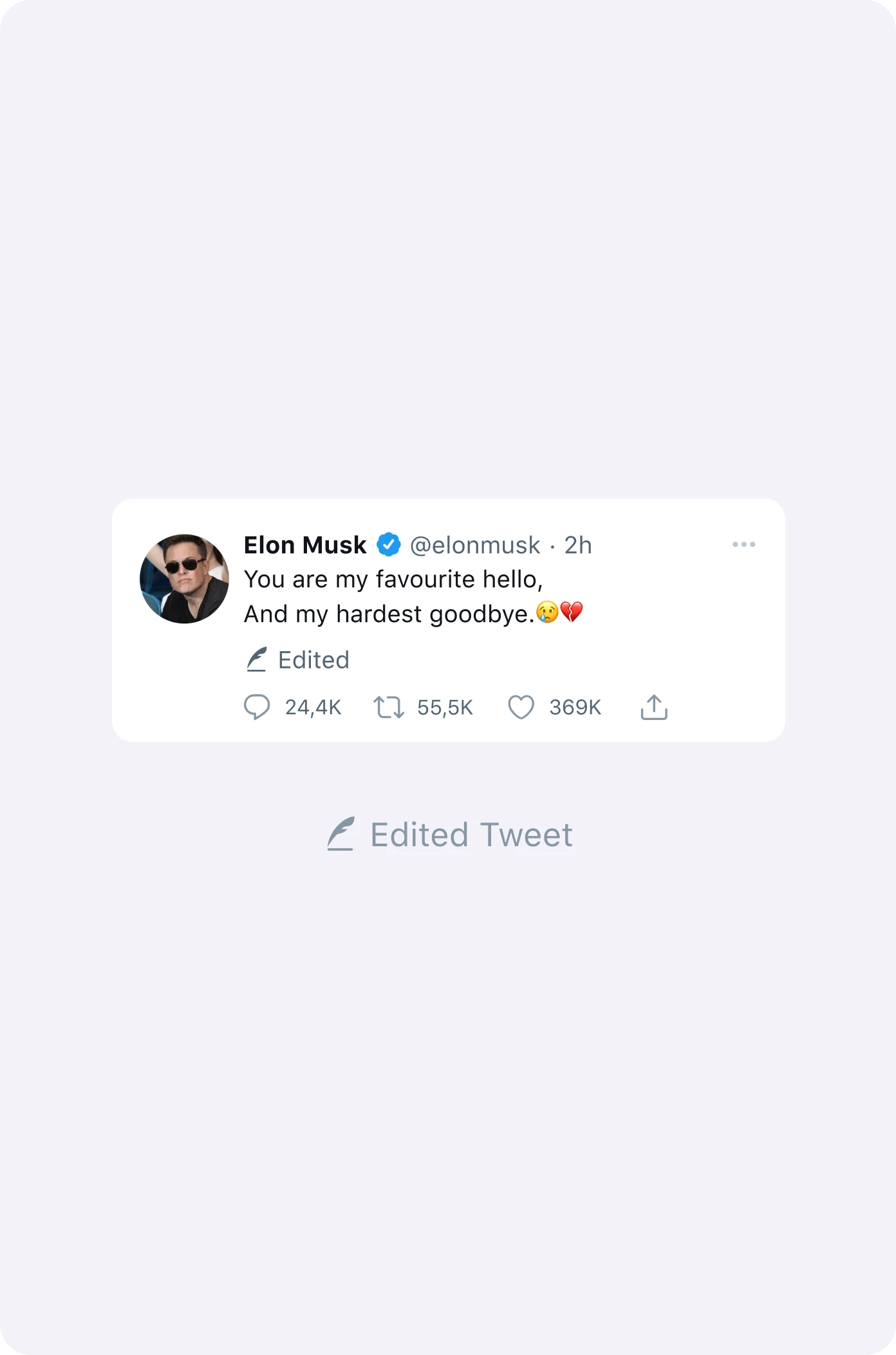
The "Edited" label: small but visible.
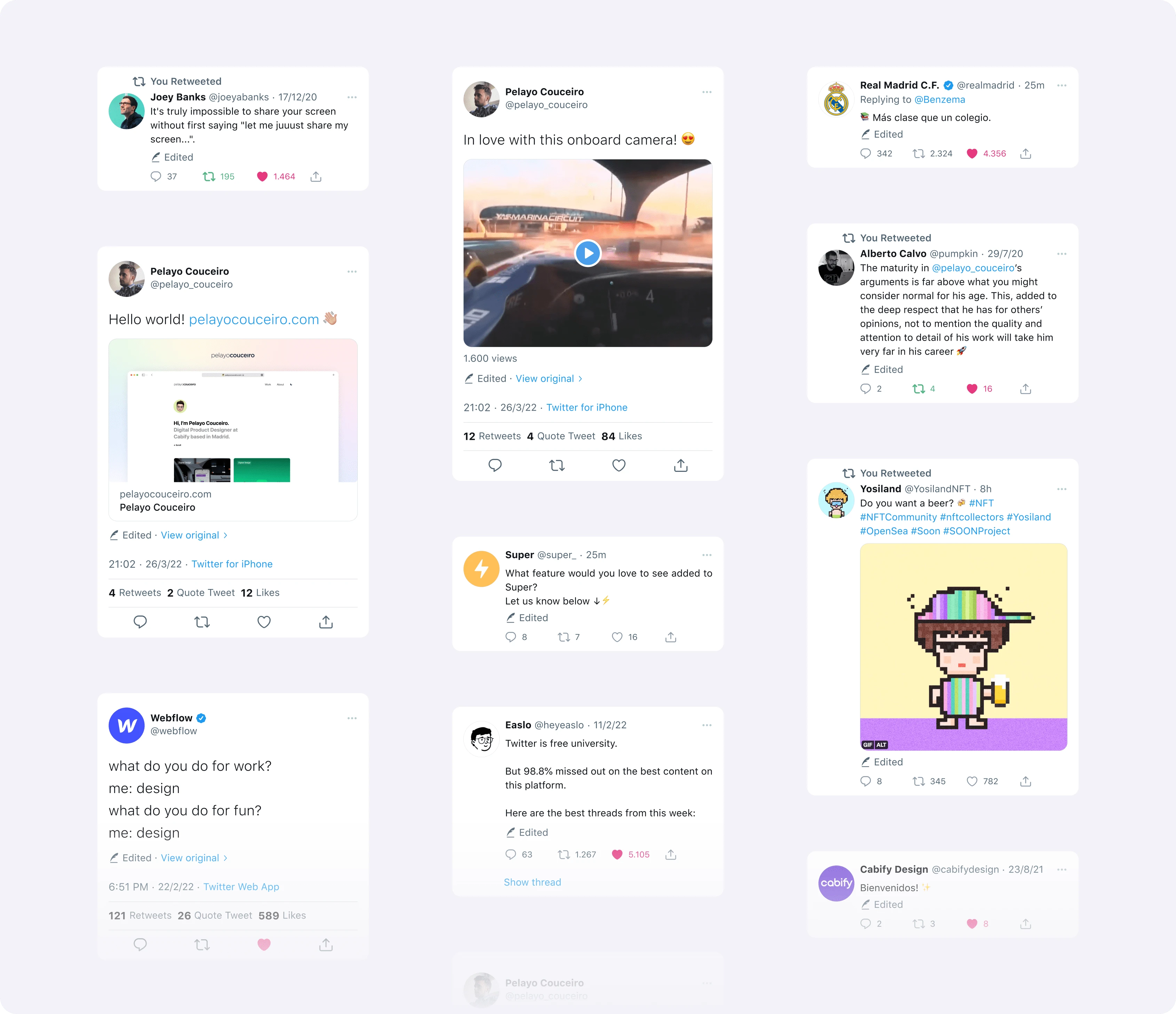
Examples of edited tweets with different content.
Edited Tweet? Okay, but let me see the original
Users will be able to see the original Tweet if they wish. In this way, Twitter’s essence of maintaining original post is preserved.
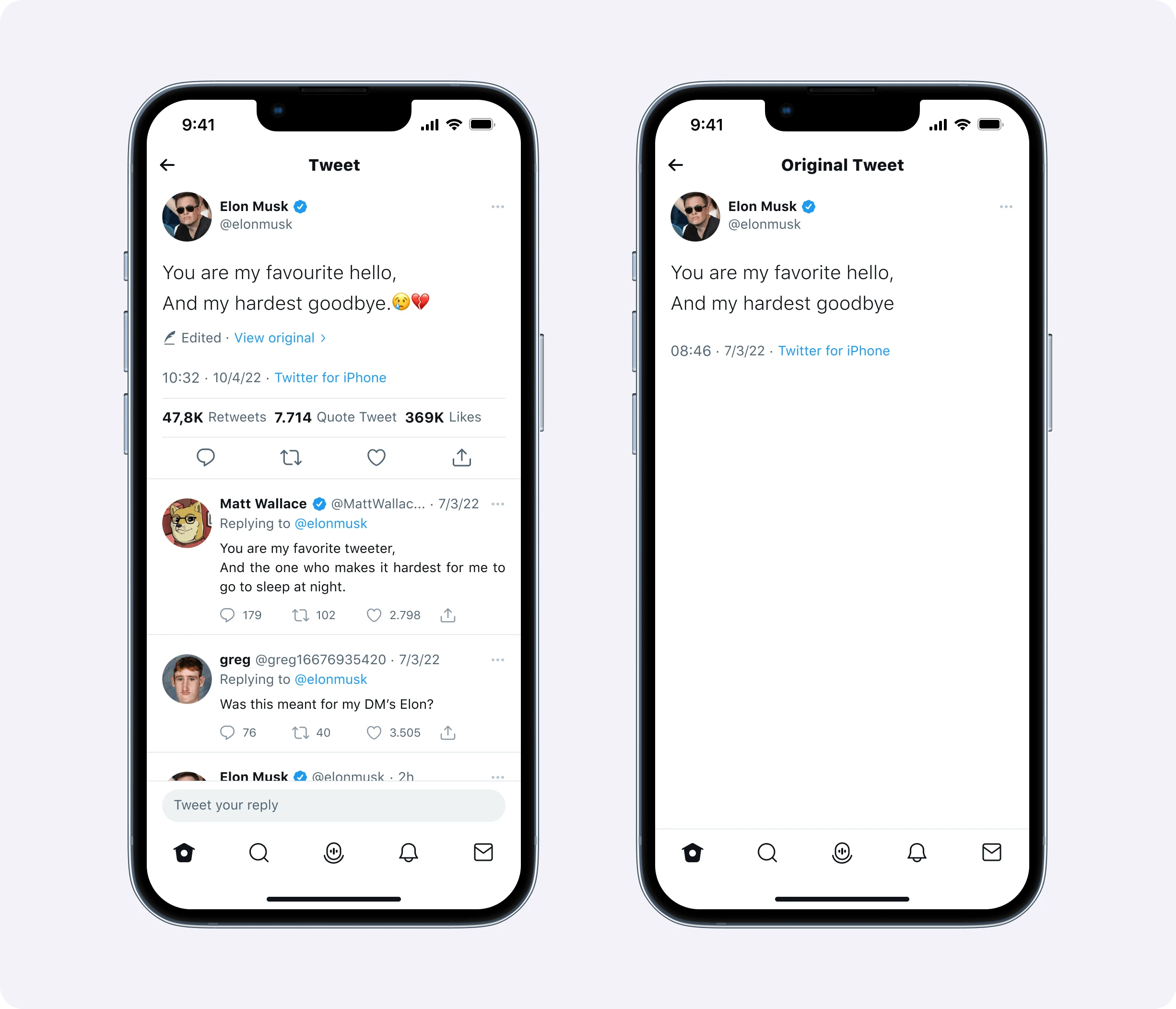
An edited Tweet next to its original version.
How to edit a Tweet?
By selecting the “Edit Tweet” option, the user will access the editing mode.
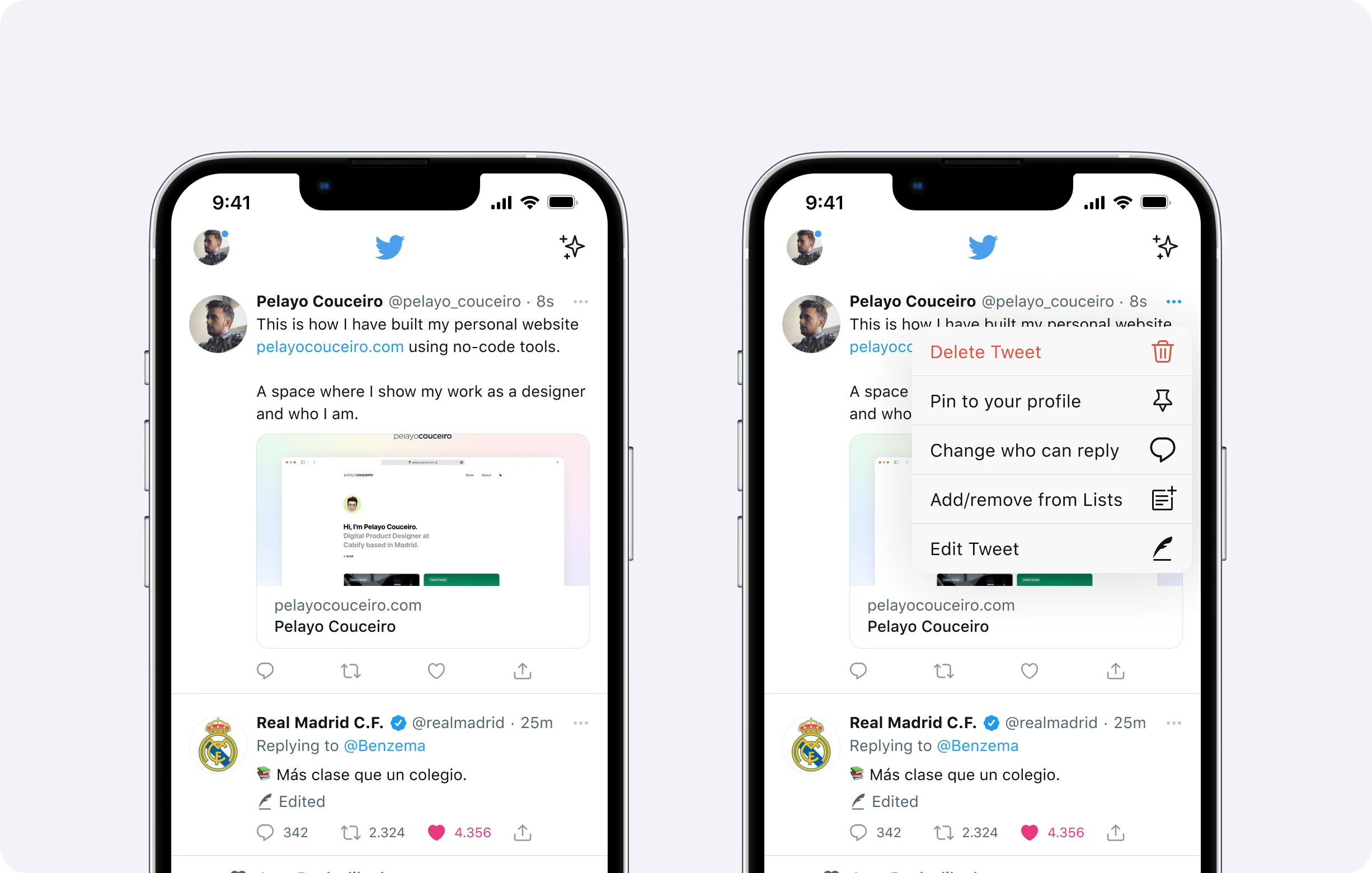
The "Edit Tweet" option in the Tweet menu.
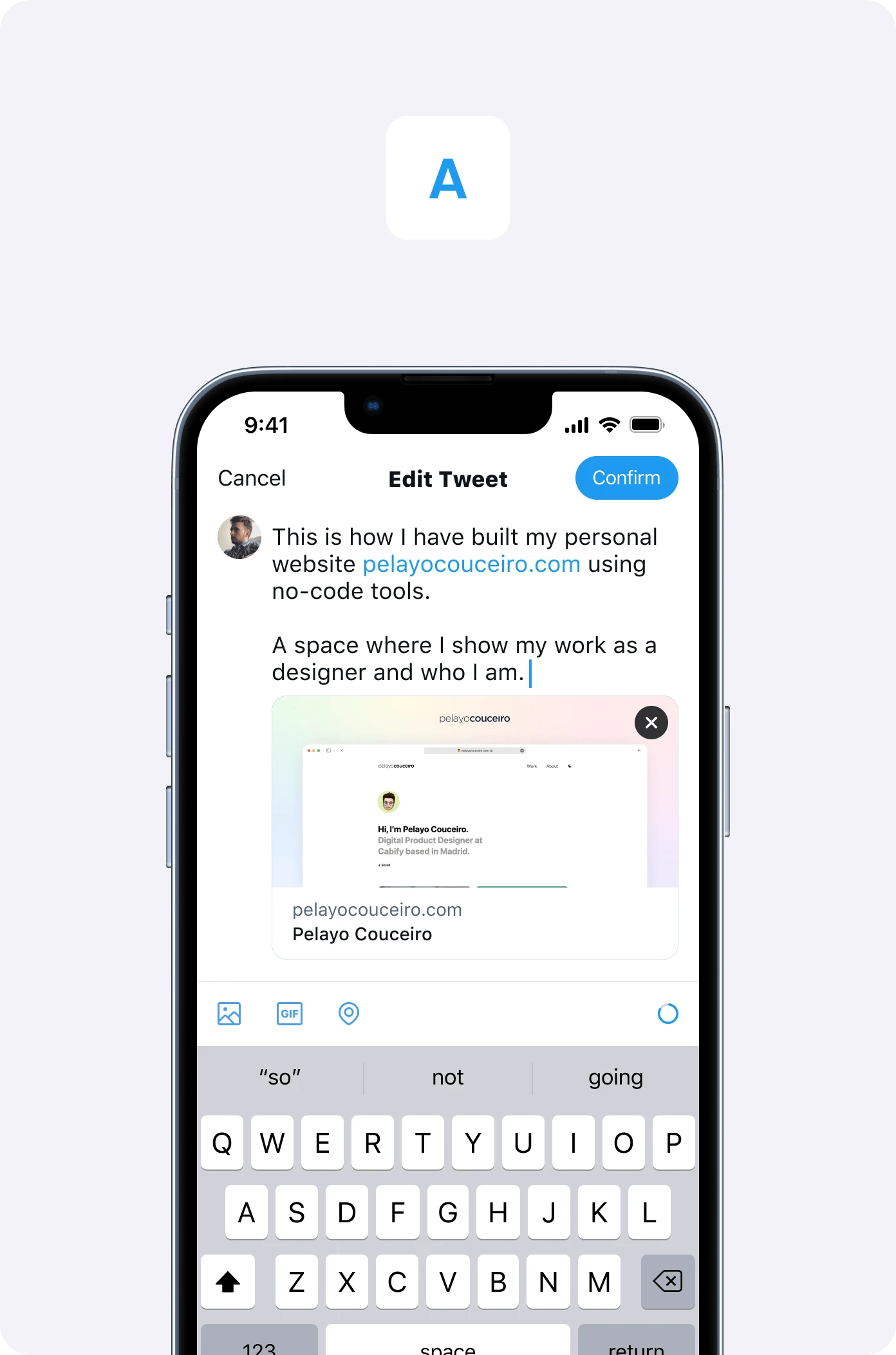
Option A: confirm at the top, as when publishing a Tweet.
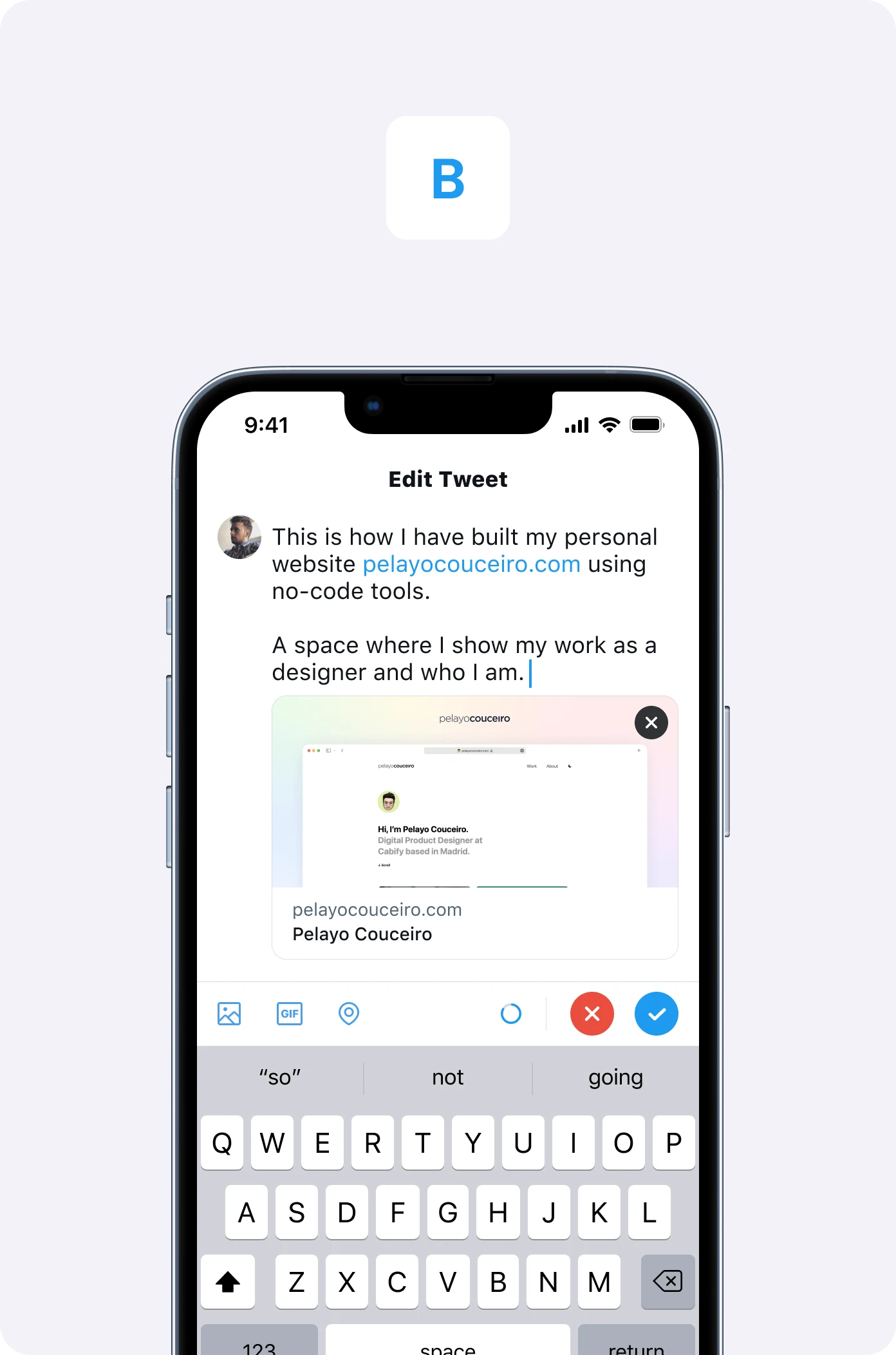
Option B: confirm and cancel next to the keyboard.
Someone has edited a Tweet
If you’ve interacted with a Tweet and it has been modified, you’ll receive a notification where you can see what has been modified and have the option to view the original Tweet.
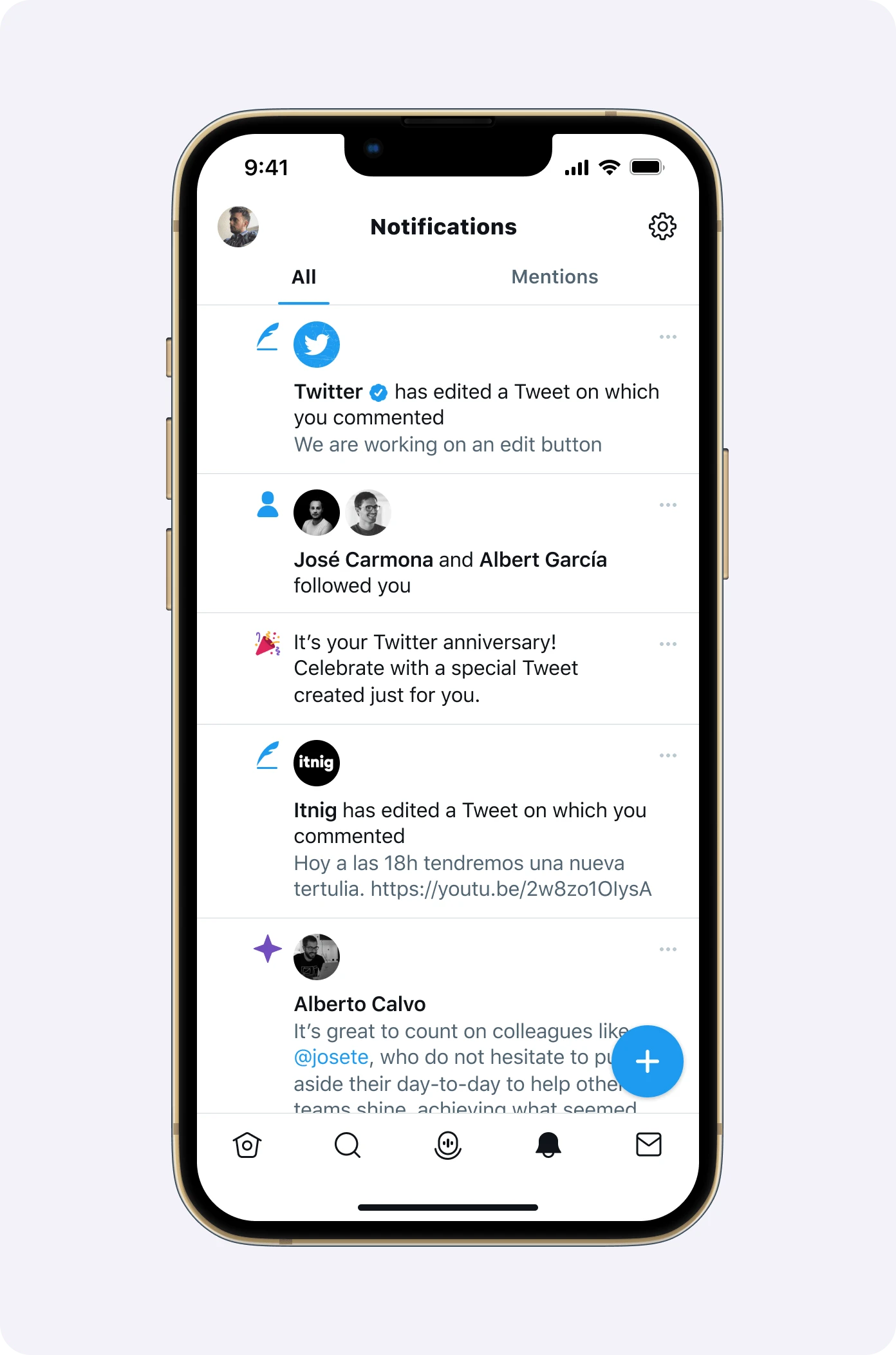
An edited Tweet in the notifications tab.
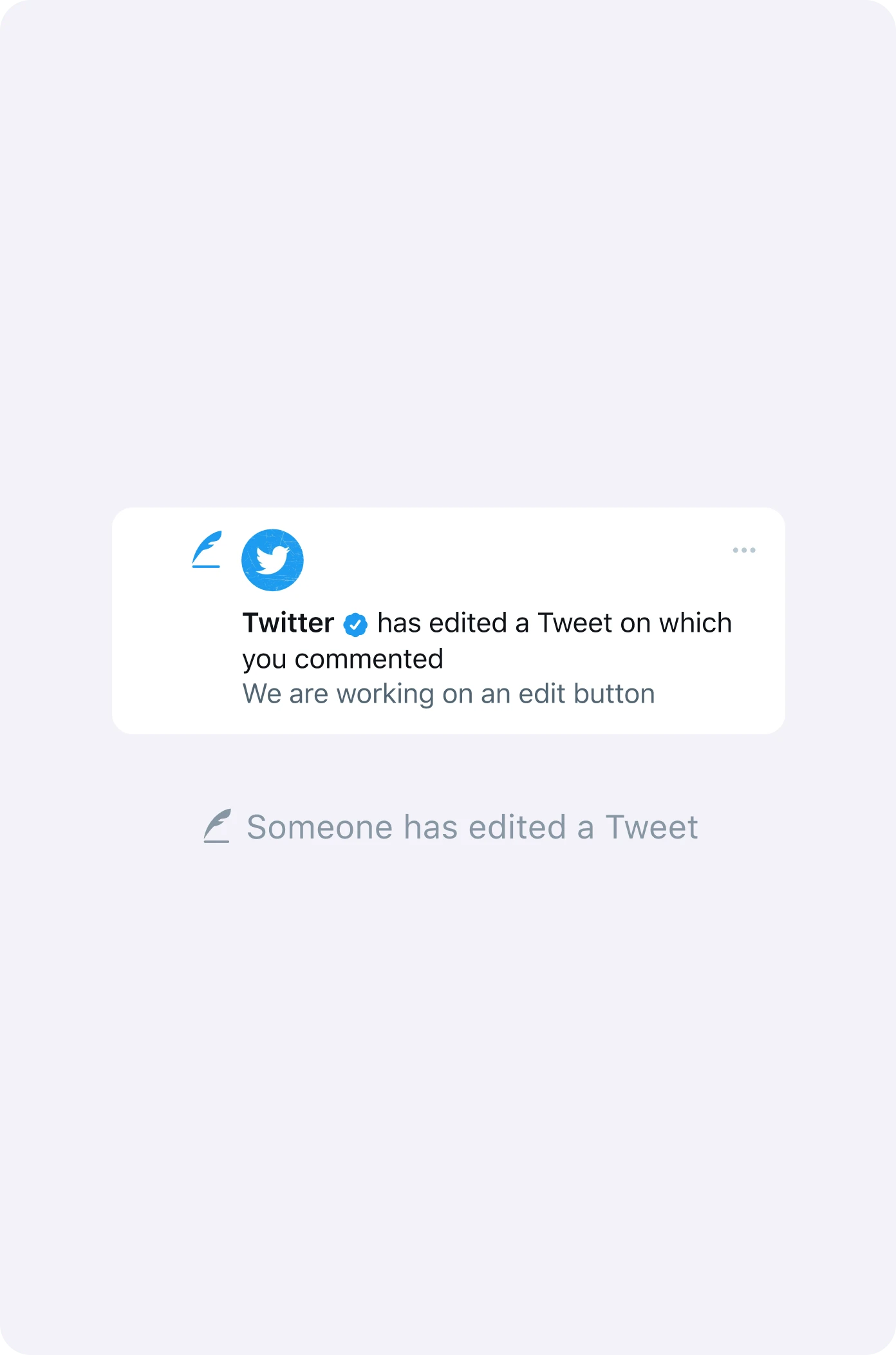
The notification you get when a Tweet you interacted with is edited.
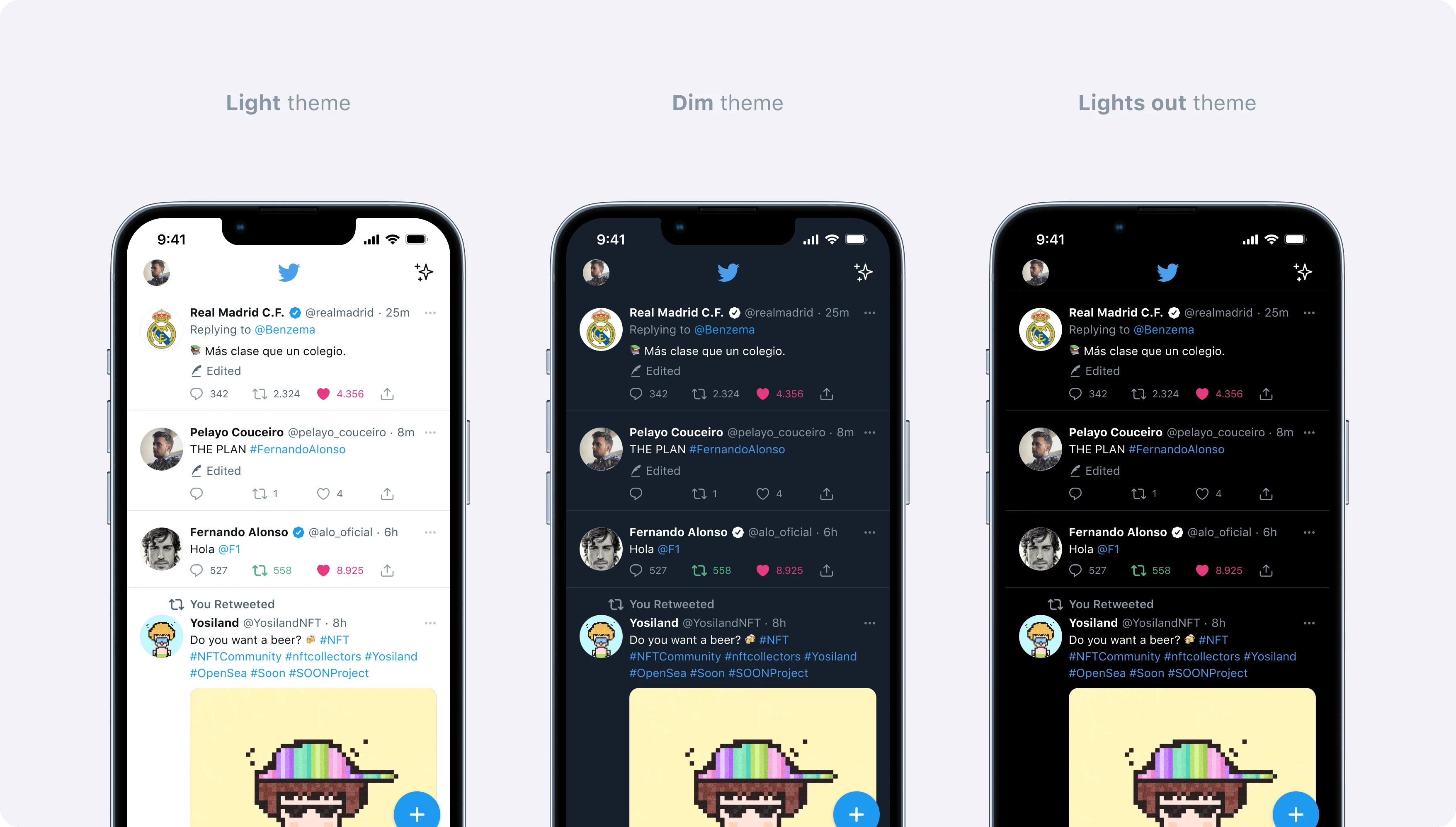
This is what the edited Tweets look like in the Dark and Light themes.